Manage Linode Servers for PowerMTA
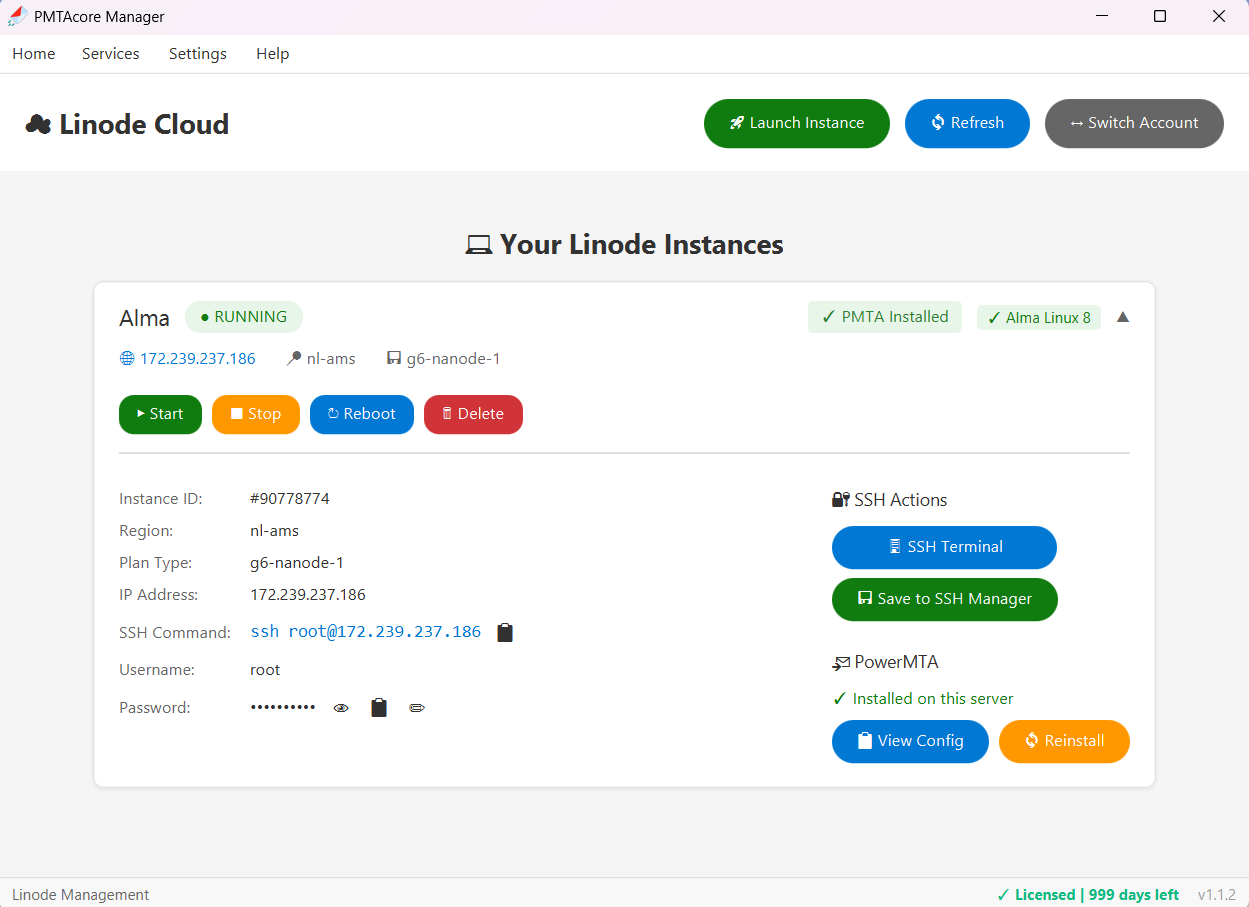
PMTAcore brings deep Linode (Akamai) API v4 integration right into the app. Create instances, manage VPCs and DNS domains, run multiple Linode accounts, and monitor account transfer — then deploy PowerMTA over SSH in a few clicks. Your API tokens are encrypted and stored locally.
What You Can Do with Linode
Everything you need to run PowerMTA on Linode (Akamai) infrastructure, managed from one interface
Instance CRUD
Create, list, reboot, and delete Linode instances directly from the app. Pick region, plan, and OS image when provisioning new servers for PowerMTA.
VPC Management
Create and manage Linode VPCs for network isolation, keeping internal traffic between your PowerMTA servers private and secure.
Domain Management
Manage Linode DNS domains and records via the API — create zones, add records, and configure rDNS for your PowerMTA server IPs.
Multi-Token Support
Add multiple Linode API tokens to organize servers across different accounts and switch between them seamlessly. Tokens are encrypted at rest.
Transfer Monitoring
Track account network transfer usage in real time across all your PowerMTA instances to avoid overage charges.
SSH & PowerMTA Deploy
Connect to any instance via the built-in SSH terminal and run the one-click PowerMTA installer with auto DNS, DKIM, and firewall setup.
Connect Linode in 3 Steps
- 1
Create a Linode API token
In the Linode (Akamai) Cloud Manager, go to Profile → API Tokens and create a personal access token with read/write scopes.
- 2
Paste it into PMTAcore
Open Cloud Management → Linode / Akamai, give the account a name, and paste your token. PMTAcore validates it and stores it encrypted on your machine.
- 3
Launch and deploy
Create an instance, connect via SSH, and run the PowerMTA installer. You are sending in minutes.
Run PowerMTA on Linode
Manage your Linode (Akamai) infrastructure and deploy PowerMTA without switching between dashboards and SSH clients.