Deploy PowerMTA in 10 Minutes
No Manual Configuration Required.
Built for agencies, bulk senders & infrastructure teams.
Optimized for high inbox delivery, stable SMTP performance, and multi-cloud automation.
No credit card required
Powerful Dashboard, Simple Interface
Manage all your PowerMTA servers, cloud providers, and email infrastructure from one clean interface.
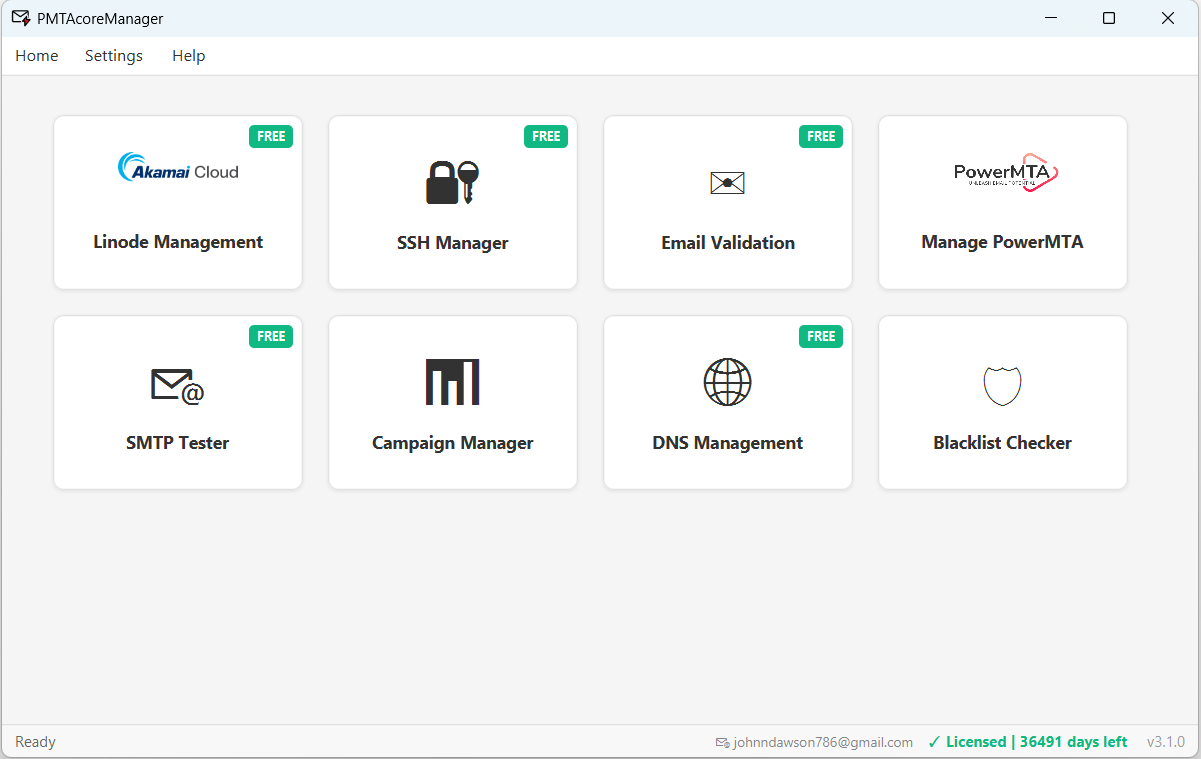
What you unlock with Pro
One-Click PowerMTA Install
Automated deployment on AlmaLinux 8/9, Rocky Linux 8/9 & Ubuntu 22.04/24.04.
Multi-Cloud Management
Manage Linode, DigitalOcean, Vultr, and AWS.
Built-in SSH Terminal
Connect to any server with saved credentials.
Bulk Email Validator
Validate thousands of emails with MX & SMTP.
SMTP Tester
Test SMTP configuration and deliverability.
Campaign Manager
Send campaigns with templates and lists.
DNS Management
Connect Cloudflare, GoDaddy, or Namecheap. Auto-apply DNS records during setup.
IP Blacklist Checker
Monitor IPs against 50+ blacklists with bulk scanning and delist guidance.
Runs on Windows, Deploys on Linux
PMTAcore is a Windows desktop application that deploys and manages PowerMTA on your Linux servers remotely.
Desktop App
- ✓ Windows 10
- ✓ Windows 11
Server OS (Remote Deploy)
- ✓ AlmaLinux 8 / 9
- ✓ Rocky Linux 8 / 9
- ✓ Ubuntu 22.04 / 24.04
Stop Wasting Hours Configuring PowerMTA
PMTAcore automates deployment, SMTP setup, and multi-cloud management — so you can focus on sending, not debugging.
Get started in 3 steps
Verify Email
Enter your email and confirm with a one-time code.
Get License Key
Receive your Pro trial license key instantly via email.
Start Using
Download the app, enter your key, and you're ready.
Common Questions
What happens after the 7-day trial ends?
Do I need a credit card?
What features are included?
Can I get another trial after it expires?
Ready to try PMTAcore Pro?
Join email professionals who trust PMTAcore for PowerMTA deployment and server management.
No credit card required