Automated PowerMTA Installation & Configuration
PMTAcore automates the entire PowerMTA deployment process via SSH. Connect your server, select a PMTA version, and click install. The installer handles OS detection, package installation, firewall rules, SMTP credential configuration, auto DNS record generation (SPF, DKIM, DMARC, MX), and IP rotation with multi-domain mapping — all on AlmaLinux 8/9, Rocky Linux 8/9, and Ubuntu 22.04/24.04.
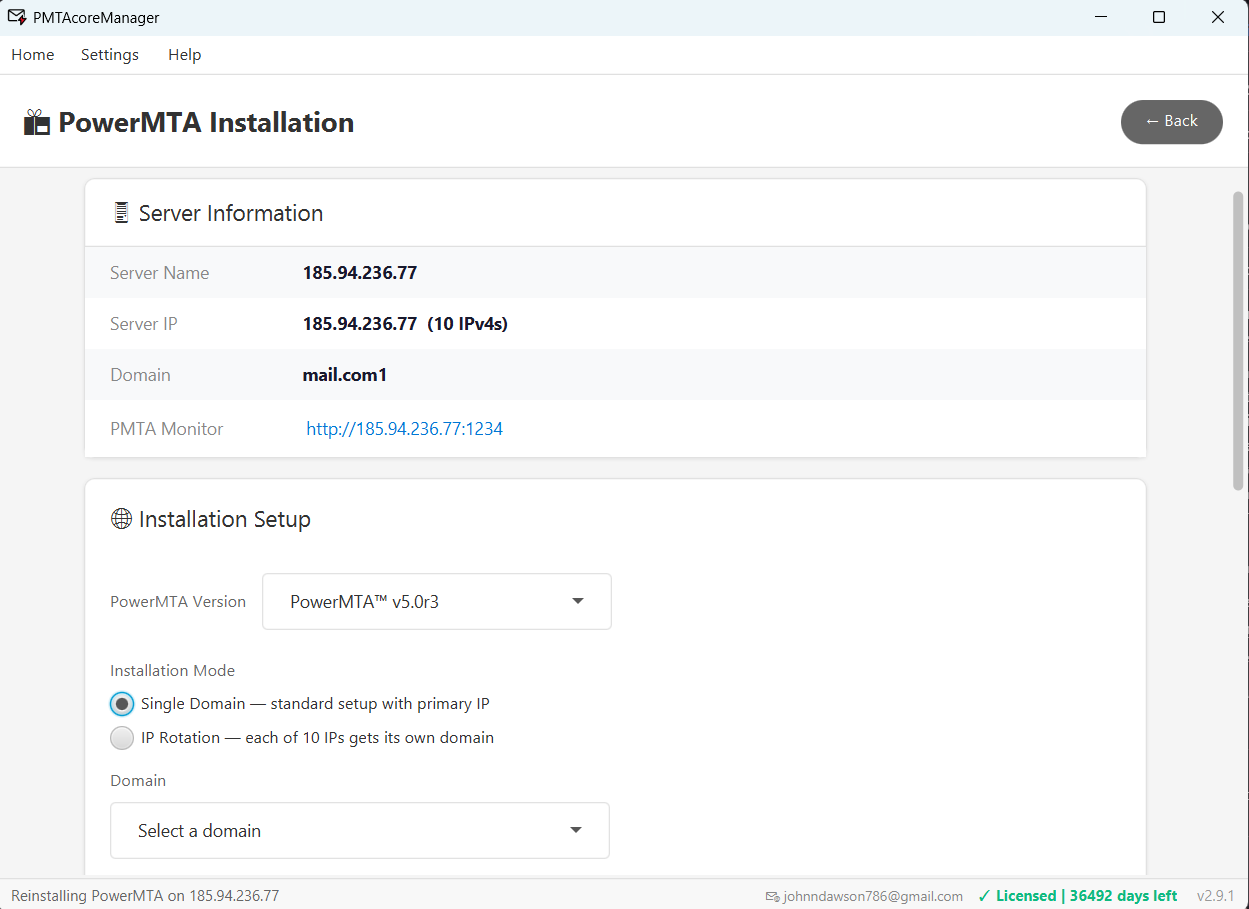
PowerMTA Installation Made Simple
Everything you need to deploy and manage PowerMTA on your servers
Automated SSH Installation
Connect your server via SSH and install PowerMTA with a single click. The installer handles package installation, dependency resolution, and service configuration automatically.
Multi-OS Support
Supports AlmaLinux 8/9, Rocky Linux 8/9, and Ubuntu 22.04/24.04. Auto-detects your OS version and applies the correct installation steps for each distribution.
Auto DNS Record Generation
Automatically generates and applies SPF, DKIM, DMARC, and MX records during installation. Integrates with Cloudflare, GoDaddy, and Namecheap APIs for hands-free DNS setup.
IP Rotation & Multi-Domain Mapping
Configure IP rotation strategies and map multiple domains to different IPs on your PowerMTA server. Optimize deliverability by distributing sending across IPs and domains.
SMTP Credential Configuration
Set up SMTP authentication credentials during installation. Configure usernames, passwords, and access controls for your PowerMTA server automatically.
Version Selection & Reinstall
Install any PowerMTA version from 4.5r1 to 6.0r3. Choose the version that fits your needs, upgrade when ready, or reinstall on existing servers with a different version.
Ready to Install PowerMTA?
Download PMTAcore and deploy PowerMTA on your servers in minutes. Start with a free trial — no credit card required.