Manage PowerMTA Servers Via Built-in SSH
Access your PowerMTA servers directly from PMTAcore with the built-in SSH terminal. Supports both password and private key authentication. On connection, the app validates the server, detects the OS version, checks PowerMTA compatibility, detects server IPs, and generates ready-to-copy SSH commands. Servers auto-sync with the PMTA Management module — no duplicate setup needed. Free for all users.
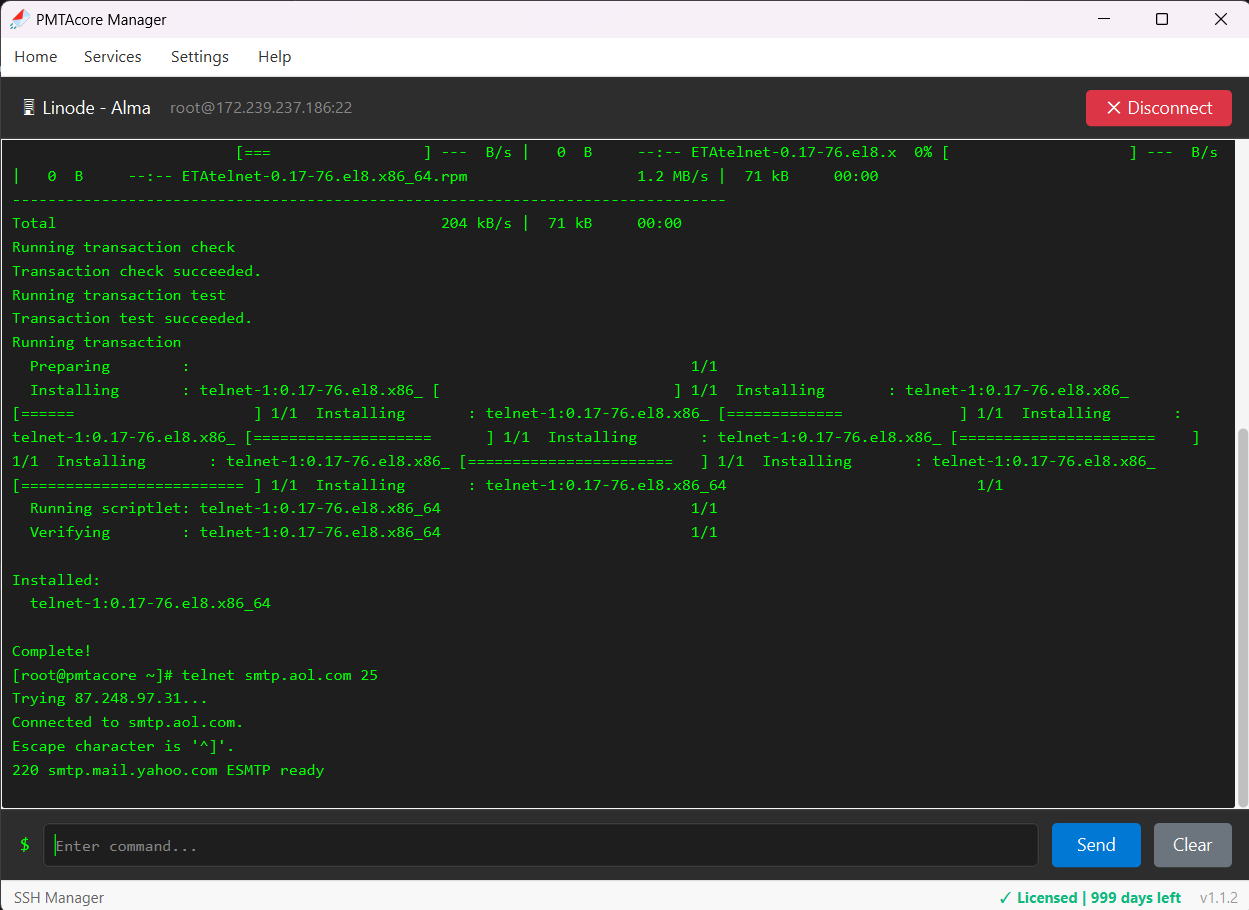
SSH Terminal Built Into PMTAcore
Everything you need to manage your PowerMTA servers remotely
Password & Private Key Auth
Connect using password or private key authentication. Supports standard SSH key formats for secure, passwordless access to your PowerMTA servers.
OS Detection & Validation
On connection, automatically detects the server OS version (AlmaLinux, Rocky Linux, Ubuntu) and validates the server is reachable and properly configured.
PowerMTA Compatibility Check
Checks whether the connected server is compatible with PowerMTA installation. Verifies OS version, architecture, and required dependencies before you install.
SSH Command Generation
Generates ready-to-copy SSH commands for each server. Quickly copy the full SSH connection string to use in external terminals if needed.
Server IP Detection
Automatically detects all IP addresses assigned to the server on connection. Essential for PowerMTA IP rotation and multi-domain configuration.
Auto-Sync with PMTA Management
Servers added in SSH Manager are automatically available in the PowerMTA Management module. No need to enter server details twice — everything stays in sync.
Manage Your Servers From One App
Stop switching between SSH clients and browser tabs. PMTAcore puts everything in one place — free for all users.