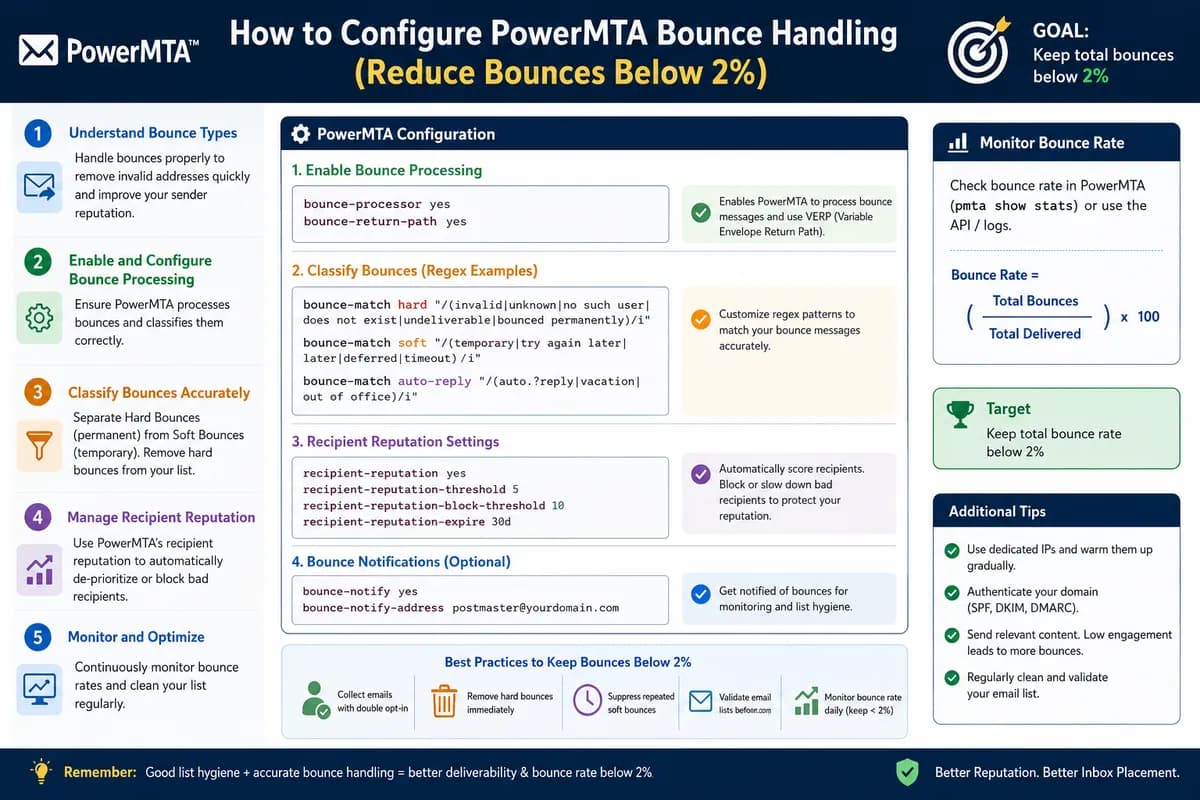
How to Configure PowerMTA Bounce Handling (Reduce Bounces Below 2%)
Gmail, Yahoo, and Microsoft now require bounce rates under 2%. This guide shows you how to configure PowerMTA's bounce processing, automate suppression, and keep your sender reputation clean.
By Shane•57 views
Why Bounce Handling Is Critical in 2026
Gmail, Yahoo, and Microsoft now enforce strict bulk sender rules. If your bounce rate exceeds 2%, your sending IP gets throttled or blocked entirely. PowerMTA gives you granular control over how bounces are processed — but only if you configure it properly.
Most senders install PowerMTA and leave bounce handling at defaults. That's a fast track to blacklisting. Here's how to set it up right.
Types of Bounces You Need to Handle
Hard bounces — permanent failures (invalid address, domain doesn't exist). These must be suppressed immediately and never retried.
Soft bounces — temporary failures (mailbox full, server busy, greylisting). PowerMTA should retry these with backoff, but give up after a threshold.
Policy bounces — the receiver rejected you based on reputation, content, or authentication failure. These need investigation, not just retry.
Step 1: Categorize Bounces by Response Code
Add bounce category patterns to your PowerMTA config (/etc/pmta/config):
Add FBL-reported addresses to your suppression list immediately. One complaint is a warning — continued sending to that address destroys your reputation.
Step 6: Monitor Your Bounce Rate Daily
Parse your accounting logs to calculate daily bounce percentage:
PMTAcore's Bulk Email Validator catches invalid addresses before you send — checking MX records, SMTP connectivity, and disposable domains. Clean your list first, and your bounce rate stays near zero without complex post-send automation.
The built-in IP Blacklist Checker alerts you the moment an IP gets listed, so you can act before deliverability tanks.
Download PMTAcore and validate your lists before your next campaign.
Key Takeaways
Categorize bounces by SMTP response code — handle hard and soft differently
Suppress hard bounces immediately — never send to them again
Set escalating retry intervals for soft bounces (max 24 hours)
Automate suppression list updates with a daily cron job
Register for ISP feedback loops to catch spam complaints
Monitor bounce rate daily — stay under 2% at all times
Validate your list before sending to avoid bounces entirely