PowerMTA Gmail Bulk Sender Requirements 2026: Compliance Guide
Follow step-by-step PowerMTA configuration, SPF/DKIM/DMARC setup, and DNS changes to meet Google and Yahoo 2026 bulk sender rules. Includes spam-rate limits, unsubscribe, and automated auditing.

Google and Yahoo now enforce strict authentication and engagement thresholds for anyone sending more than 5,000 messages per day to their users. If you run a PowerMTA-based mail server, meeting the PowerMTA Gmail bulk sender requirements 2026 is not optional—it directly decides whether your campaigns land in the inbox or the spam folder. This guide walks you through the exact configuration changes you need inside PowerMTA, the DNS records you must publish, and the sending practices that keep complaint rates low, so you can continue reaching Gmail and Yahoo subscribers reliably.
By the end, you’ll be able to audit your existing setup, align your PowerMTA <domain> and <virtual-mta> blocks with the latest standards, and automate ongoing checks so compliance doesn’t slip. We’ll start with the who, what, and why of the 2026 rules, then move through SPF, DKIM, DMARC, complementary DNS records, spam-rate monitoring, unsubscribe integration, and finally a way to keep your entire infrastructure compliant without manual drudgery.
The 2026 rule changes for bulk email senders
From February 2024, Gmail and Yahoo began requiring domain authentication for mass senders. By 2026, enforcement has tightened, and Microsoft has joined with similar requirements. If your daily volume to personal Gmail or Yahoo accounts exceeds 5,000 messages, you must now implement SPF, DKIM, and a DMARC policy (even p=none), maintain valid forward and reverse DNS records, encrypt transit with TLS, honour one-click unsubscribe, and keep spam complaint rates extremely low. The exact thresholds are:
- Gmail: spam complaint rate below 0.10% (one spam report per 1,000 messages) in Postmaster Tools.
- Yahoo: complaint rate below 0.3%, with mandatory one-click unsubscribe.
For PowerMTA operators, these rules translate into concrete configuration tasks across SMTP settings, DNS, and campaign management. We’ll address each in turn.
Minimum authentication requirements: SPF, DKIM, and DMARC in PowerMTA
All three authentication mechanisms must work together, and PowerMTA’s domain‑level controls let you sign and align them correctly.
SPF configuration
PowerMTA itself doesn’t enforce SPF; it relies on the DNS record you publish for your sending domain. The record must list the IP addresses PowerMTA uses. For example, if your server has IP 192.0.2.1 and you send from the domain example.com, create a TXT record:
example.com. IN TXT "v=spf1 ip4:192.0.2.1 -all"If you rotate through multiple IPs, include them all. Ensure the <source-ip> directive inside your PowerMTA <virtual-mta> blocks matches the IPs listed in SPF. A mismatch will cause SPF soft‑fail or hard‑fail, breaking DMARC alignment.
DKIM signing
PowerMTA natively supports DKIM. You enable it per‑domain inside a <domain> block. First, generate a 2048‑bit RSA key pair (recommended) and place the private key on the server where PowerMTA can read it. Then add the following directives:
<domain example.com>
    sign-dkim yes
    dkim-selector pmta2026
    dkim-private-key /etc/pmta/dkim/example.com.private
</domain>
Publish the public key as a TXT record at pmta2026._domainkey.example.com:
pmta2026._domainkey.example.com. IN TXT "v=DKIM1; k=rsa; p=MIGfMA0GCSqGSIb3DQEBAQUAA4GNADCBiQKBgQC..."Always test DKIM with a tool like DMARCLY or your own SMTP tester. Without DKIM, DMARC alignment fails.
DMARC alignment
DMARC requires either SPF or DKIM to pass and the domain in the “From” header to align with the authenticated domain. To enforce policy and request aggregate reports, publish a TXT record at _dmarc.example.com:
_dmarc.example.com. IN TXT "v=DMARC1; p=quarantine; rua=mailto:dmarc-reports@example.com; pct=100; adkim=s; aspf=s;"Switch p=quarantine to p=reject once you’re confident. For PowerMTA, ensure that the <domain>’s “From” header matches the DKIM signature domain, or that the bounce domain (return‑path) is parent‑domain aligned. Most setups achieve DMARC pass via DKIM alone. If you use multiple domains, you can map each to a separate <virtual-mta> for clean alignment.
DNS records for deliverability: PTR, MX, and TLS
Beyond authentication, Gmail and Yahoo require proper infrastructure DNS and encrypted transport.
Reverse DNS (PTR)
Every sending IP must have a PTR record that resolves to a hostname, and that hostname must have a forward A record pointing back to the same IP. For example:
server.example.com.   IN  A  192.0.2.1
1.2.0.192.in-addr.arpa.  IN  PTR  server.example.com.
PowerMTA uses the <host-name> directive in the <smtp-server> block for the HELO/EHLO banner. That hostname must match the PTR. If it doesn’t, reverse‑DNS checks fail. Many cloud providers allow you to set PTR through their control panel or API.
MX record
Even if your sending server doesn’t receive email, an MX record for your domain helps reputation checks. It should point to a valid host, not necessarily the sending IP. A minimal record:
example.com. IN MX 10 mx.example.com.TLS encryption
PowerMTA uses TLS when the receiving server advertises STARTTLS or when connecting over port 465 (implicit TLS). You must provide a valid SSL certificate. In the main <smtp-server> block, include:
<tls-certificate-file /etc/ssl/certs/example.com.crt>
<tls-key-file /etc/ssl/private/example.com.key>
A certificate from a trusted CA is preferred; Let’s Encrypt works fine. Without TLS, delivery to Gmail or Yahoo will be refused for bulk senders.
Spam rate monitoring and one‑click unsubscribe
Keeping complaints below thresholds is a continuous effort. List hygiene and easy opt‑out are the two strongest measures you can take.
Keeping spam complaints low
Register for Gmail Postmaster Tools and monitor your spam rate daily. For Yahoo, use their feedback loop programme. Best practices include:
- Use confirmed opt‑in (double opt‑in) for list acquisition.
- Prune non‑openers and bounces every 30 days—email validation helps identify risky addresses.
- Segment your list and avoid bulk blasts; PowerMTA’s per‑virtual‑MTA queues let you separate transactional from promotional streams.
The old “30‑30‑50 rule” for cold emails—30% open rate, 30% reply rate, 50% bounce‑safe domain—reminds us that recipient engagement trumps volume. Send only to people who expect your mail.
Implementing one‑click unsubscribe
Both Gmail and Yahoo require a functioning one‑click unsubscribe. At minimum, you must include the List‑Unsubscribe header with a mailto: address. The more advanced one‑click POST via HTTPS requires your front‑end mailing application to generate the appropriate header. PowerMTA can inject headers using the <add-header> directive inside a <domain> block:
<domain example.com>
    add-header "List-Unsubscribe: <mailto:unsubscribe@example.com>, <https://example.com/unsub?mail=%recipient%>"
</domain>
For full compliance with the POST method, a self‑hosted platform such as Choco Mailer (separate paid add‑on) can generate the proper headers and manage subscriptions automatically, feeding into PowerMTA for delivery.
Automating compliance audits with PMTAcore
Manually checking SPF, DKIM, DMARC, PTR, MX, and TLS for multiple domains and IPs becomes tedious. PMTAcore, the Windows desktop application for PowerMTA infrastructure, automates these checks. After you’ve mastered the manual set‑up described above, the tool can save hours of maintenance.
PMTAcore pulls your server’s PowerMTA configuration over SSH and scans every <domain> and <virtual-mta> block, then:
- Generates and validates DNS records for Cloudflare, GoDaddy, Namecheap with a few clicks.
- Tests DKIM signing and DMARC alignment with live lookups.
- Checks TLS certificate expiry and PTR resolution.
- Monitors sending IPs against major blacklists through its built‑in IP blacklist checker.
The application also helps you set up IP rotation across multiple domains, so each campaign uses a dedicated pair of IP and domain—improving deliverability and simplifying compliance tracking. For an end‑to‑end view, its PowerMTA management module logs every installation change, creating a clear audit trail.
Warmup schedules and dedicated IPs
No new IP address has a reputation. ISPs throttle or block unknown senders, so you must warm up the IP gradually. A dedicated IP gives you control over your sending reputation, but the responsibility is entirely yours.
How to warm up an IP for email: start with a small, highly engaged subset of your list and increase volume steadily over 4–6 weeks. A common schedule looks like this:
| Week | Daily email volume |
|---|---|
| 1 | 50–200 per day, sent to your most active subscribers |
| 2 | 500–1,000 per day |
| 3 | 2,000–5,000 per day |
| 4 | 10,000–20,000 per day |
| 5–6 | Ramp to full desired volume, monitoring bounces and complaints |
PowerMTA’s <virtual-mta> rate limits allow you to enforce these ceilings programmatically. You can then increase the <max-msg-rate> each week. PMTAcore’s campaign manager further helps by spreading sends across multiple VMTAs and pacing them.
Downsides of a dedicated IP: you must maintain high engagement and never let volume drop to zero for extended periods, as that can reset reputation. If you send fewer than 50,000 emails a month, a well‑configured shared IP or a reputable SMTP relay may yield better deliverability. The warmup must be repeated if you stop sending for more than a week.
The best warmup tool is a controlled campaign that gradually widens your audience—there is no substitute for organic engagement. Some ESPs offer automated warmup services, but if you self‑host PowerMTA, you’ll need to manage the schedule yourself. PMTAcore’s ability to schedule and rate‑limit campaigns across multiple servers makes this process repeatable and less manual.
Next steps
Meeting the PowerMTA Gmail bulk sender requirements 2026 is a multi‑faceted task, but the reward is consistent inbox placement. Start by auditing your current configuration with the manual checks above, then consider using PMTAcore to keep every certificate, DNS record, and authentication setting in sync across your entire fleet. Start a free trial to explore how the tool can automate these compliance checks, or view the licence plans for full access.
Related Articles
PowerMTA Error Codes: Diagnose and Fix SMTP Response Issues
A practical guide to PowerMTA error codes: understand SMTP response classes, troubleshoot top 10 delivery failures, parse PowerMTA logs, and configure your server to prevent bounce-related issues.
Read more →
The Complete PowerMTA Setup Guide for High-Volume Email Sending
Learn how to install, configure, and optimize PowerMTA for high-volume email delivery. This complete guide covers DNS authentication, VirtualMTAs, IP warm-up, deliverability best practices, and scaling your email infrastructure.
Read more →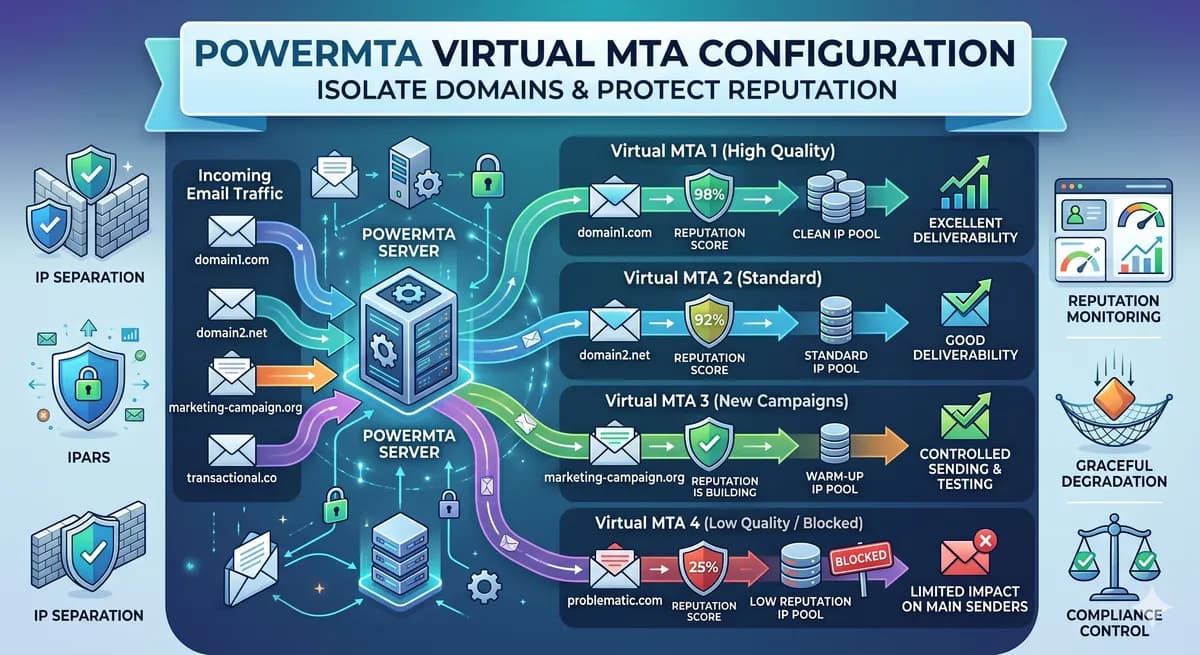
PowerMTA Virtual MTA Configuration – Isolate Domains & Protect Reputation
Using a single PowerMTA config for all domains is a critical mistake. Learn how to configure Virtual MTAs to isolate sending reputation, separate transactional from marketing mail, and prevent one bad domain from killing all your IPs.
Read more →